Light Blue 2026.1 is here!
We’re excited to announce the release of Light Blue 2026.1, available now as a free upgrade for all subscribers. This release introduces new ways to win more bookings, streamline your sales workflow, and organise the information that keeps your business running smoothly. From brand-new public proposals that help you convert enquiries into clients, to our new ProSelect integration that saves time during in-person sales, Light Blue 2026.1 focuses on helping you work more efficiently while delivering a better experience for your clients.
We’ve packed a lot of smaller improvements into this release as well; a complete list of features and improvements are in the release notes.
Turn enquiries into bookings with public proposals
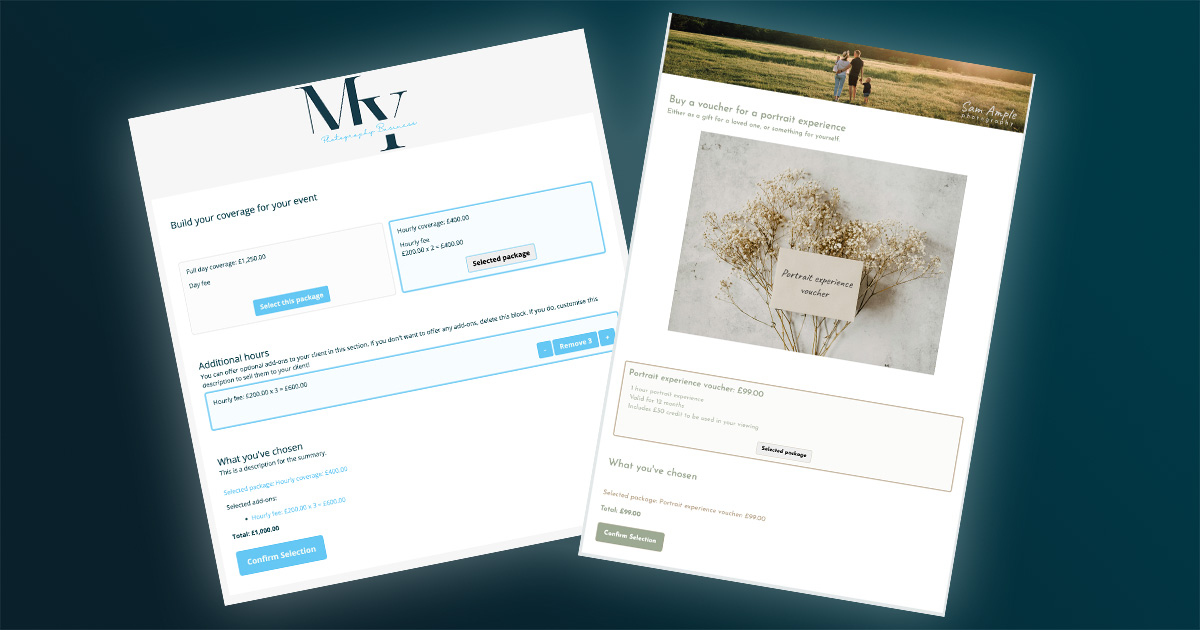
Public proposals allow you to use Light Blue’s flexible proposals with new clients before they’ve contacted you or been added to Light Blue.
Unlike a standard proposal, which is published from an existing shoot record, a public proposal can be shared publicly on your website, in marketing campaigns, or anywhere else you’d like potential clients to be able to access it.
This allows clients to build their own quote, select packages and add-ons, and optionally complete forms, sign contracts, schedule sessions, and make payments without you needing to create a shoot record first.
Public proposals are incredibly flexible and can be adapted to a wide range of photography businesses and workflows. Whether you’re allowing corporate clients to build their own quote, booking portrait sessions from a marketing campaign, selling gift vouchers online, helping wedding couples build their ideal package at the enquiry stage, or running mini-session promotions, public proposals can bring your pricing, booking, scheduling, forms, contracts, and payments together into a single streamlined experience.
Learn more about public proposals…
Faster in-person sales with our new ProSelect integration
Light Blue now integrates directly with ProSelect. If ProSelect is installed on the same computer, you’ll see options within Light Blue to create ProSelect albums and import orders directly from ProSelect. You can quickly prepare albums for your sales sessions and bring completed orders back into Light Blue without the extra steps.
You’ll spend less time managing data and more time focusing on your clients and sales presentations. The result is a smoother workflow, fewer opportunities for errors, and a more efficient sales process.
“I had some viewings over the weekend and this really is a time saving game changer for me. I can’t believe what a clunky workflow it was before with lots of copying, pasting and importing, absolutely brilliant. Thanks for this update.” – Graham Scott
Learn more about the ProSelect integration…
Make the most of Light Blue’s powerful list view
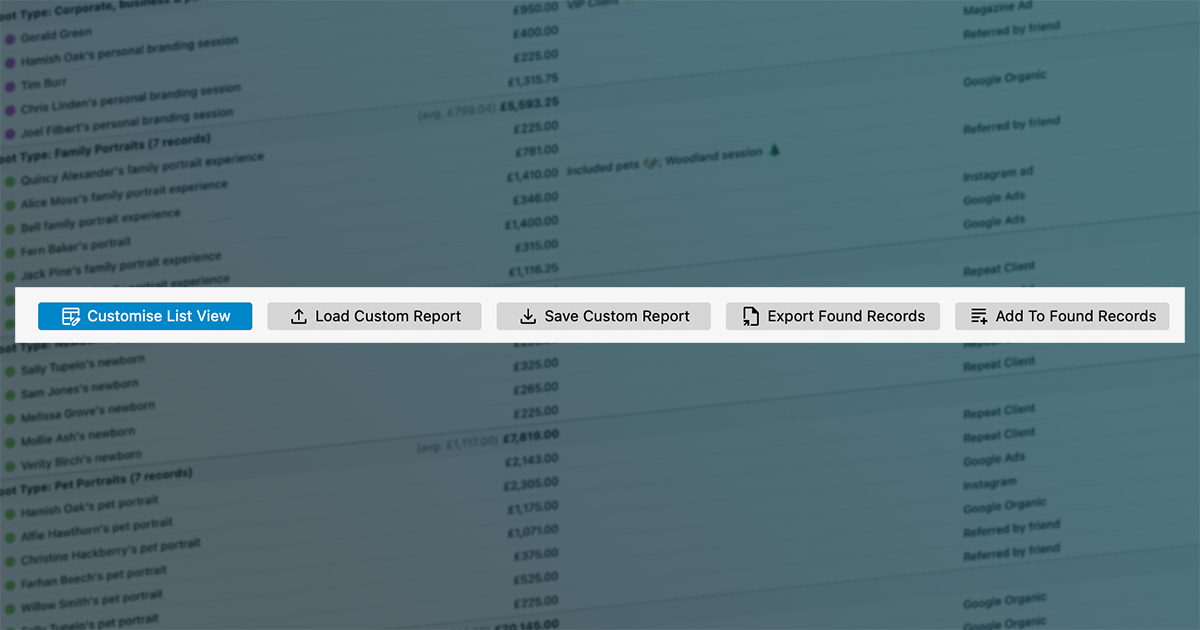
We’ve redesigned the list view experience with a new menu bar that makes helpful features easier to discover and use. You can now quickly access tools for bulk actions, customising columns, grouping records, exporting data, and saving custom reports.
Tasks that previously required digging through menus are now much easier to find and use. Whether you’re updating multiple records, analysing business performance, exporting information, or creating reusable reports, the tools you need are right where you need them.
You’ll be able to work more efficiently, uncover useful business insights faster, and spend less time navigating menus. The result is a more flexible reporting and management experience that adapts to the way you work.
Stay organised with template folders
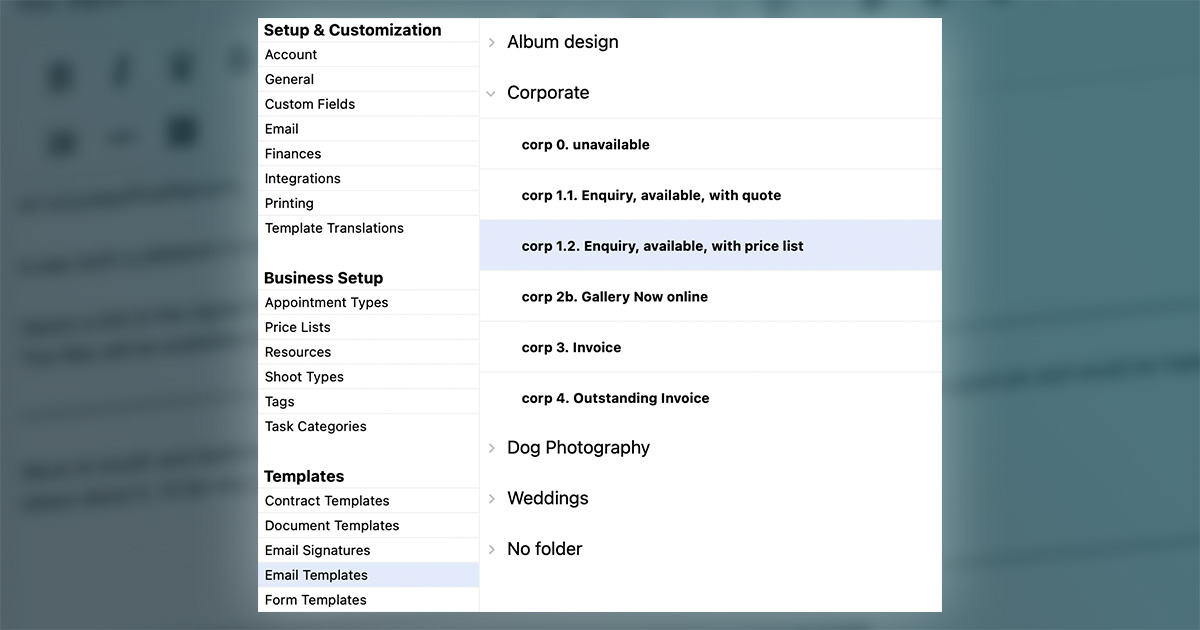
Template folders provide a new way to organise your email templates, text message templates, contracts, proposals, and other reusable content.
Instead of scrolling through long lists of templates, you can group related templates together and organise them in a way that makes sense for your business.
Finding the right template becomes faster and easier, helping you maintain consistency in your communications while reducing the time spent searching for frequently used content.
Organise your quick queries with grouping & sorting
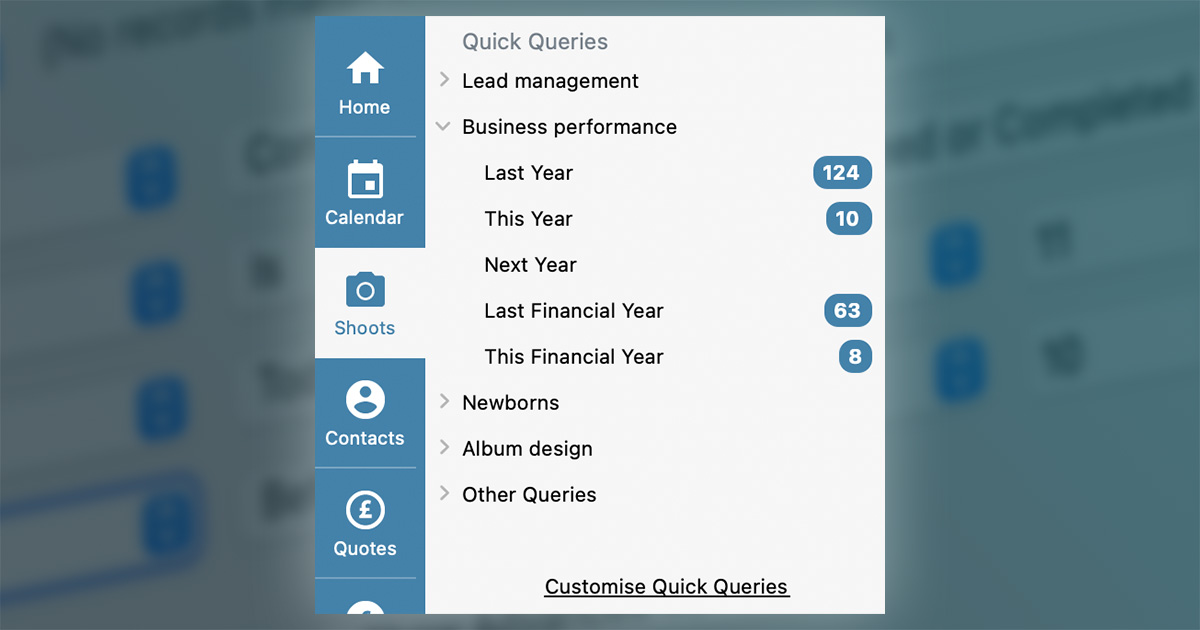
You can now group and sort your saved queries within Light Blue’s quick queries lists.
As your collection of queries grows, you can organise them into logical categories and arrange them in an order that suits your workflow.
Important reports and searches become easier to find and access, helping you make better use of Light Blue’s flexible querying tools and get to the information you need more quickly.
And much more…
Our updates always include lots of improvements, and you can discover them in the Light Blue 2026.1 release notes.
Available now
Light Blue 2026.1 is available today as a free upgrade for all subscribers.
We can’t wait to hear what you think of these new features, and we’re excited to see how they help you save time, streamline your workflow, and grow your photography business.
Related
- Light Blue compatibility with macOS 27 Golden Gate and iOS 27
- E-invoice export is now available in Light Blue
- Light Blue 2026.1.3 release notes
- Light Blue 2026.1.2 release notes
- Light Blue 2026.1.1 release notes
- Light Blue 2026.1 release notes
- Planned maintenance
- Light Blue 2026.1 prerelease testing
- Timezone support added to scheduling calendars
- Light Blue 2025.1.4 release notes