How to nurture enquiries on autopilot with Light Blue
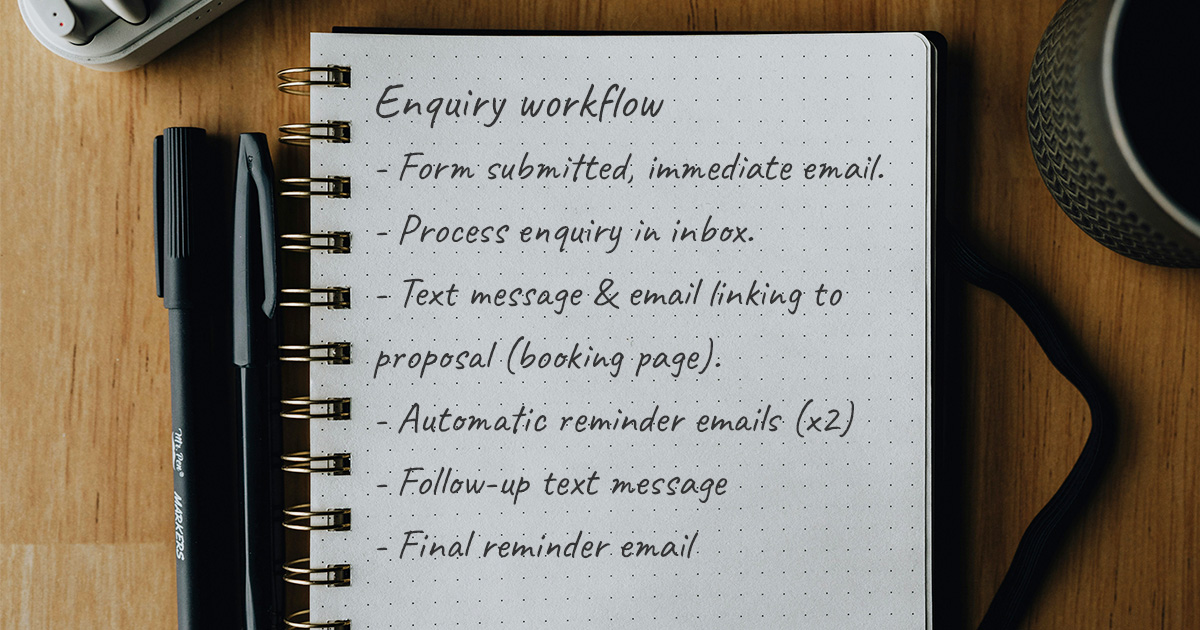
If you’re getting a healthy number of enquiries, one of the biggest challenges isn’t necessarily getting leads, it’s consistently following up with them.
People get distracted. They mean to reply later. They want to check dates with a partner. They forget to go back to your email. And when you’re busy shooting, editing, or managing existing clients, it’s easy for new enquiries to accidentally go cold.
Recently, both Sarah and Ian have been helping different Light Blue customers set up a really effective enquiry workflow during 1:1 screen sharing calls. The businesses were very different; one was a portrait photography business, another was a wedding photo booth company. The overall process worked brilliantly for both.
The goal was simple:
- Respond quickly
- Make booking easy
- Keep leads warm automatically
- Reduce manual admin
- Give photographers a clear overview of where every enquiry is up to
Here’s how the process works…
Step 1: A new enquiry arrives
Everything starts with your website contact form.
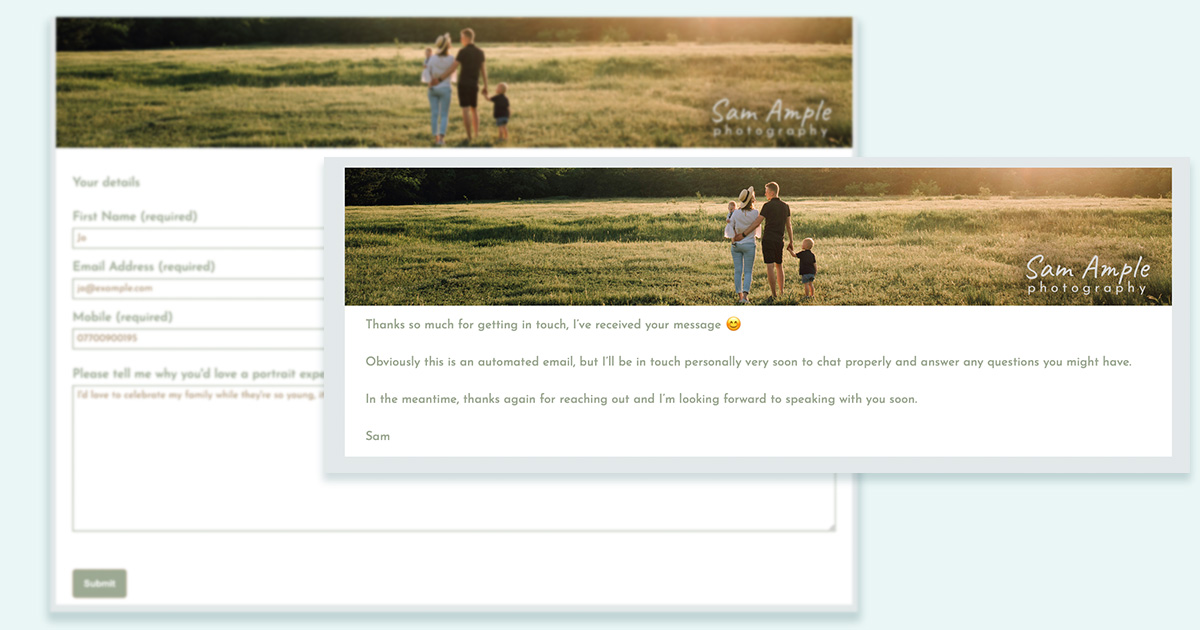
Using Light Blue contact forms, the enquiry information comes directly into Light Blue’s Inbox, where it can create:
- Contact records
- A new shoot record
- An enquiry workflow attached to that shoot
At the same time, an immediate confirmation email can be sent automatically to reassure the client that their enquiry has been received.
That instant response matters more than people realise. Even a short “Thanks for getting in touch, I’ll be in touch shortly” message helps build trust and confidence.
Step 2: The enquiry workflow starts automatically
This is where things become really powerful.
Instead of manually remembering to follow up with every lead, an enquiry workflow handles the process for you.
The workflow is based around the date the enquiry came in, and it automatically triggers different actions over time.
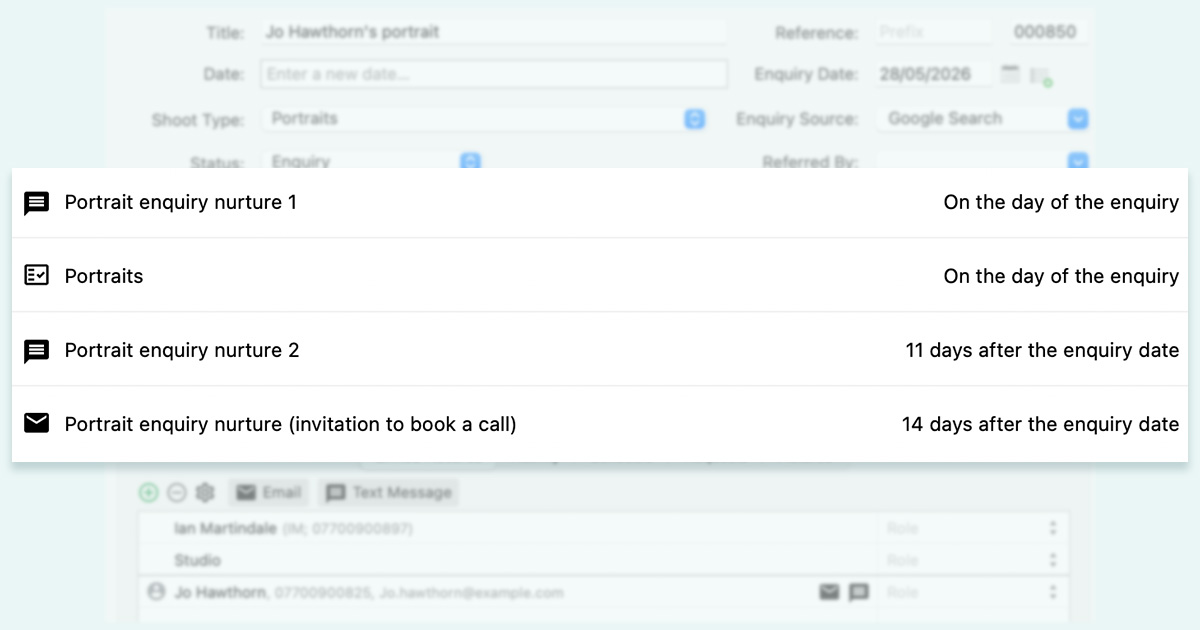
One of the smartest parts of this setup is that if the client books at any stage, the remaining follow-up tasks automatically disappear. So you’re not sending reminder messages to people who have already booked.
Step 3: The client receives a text message straight away
As soon as the enquiry is processed, the workflow sends a text message automatically.
The message is usually short and friendly:
- Thanking them for the enquiry
- Letting them know you’ve received it
- Mentioning that you’ve also emailed them more information
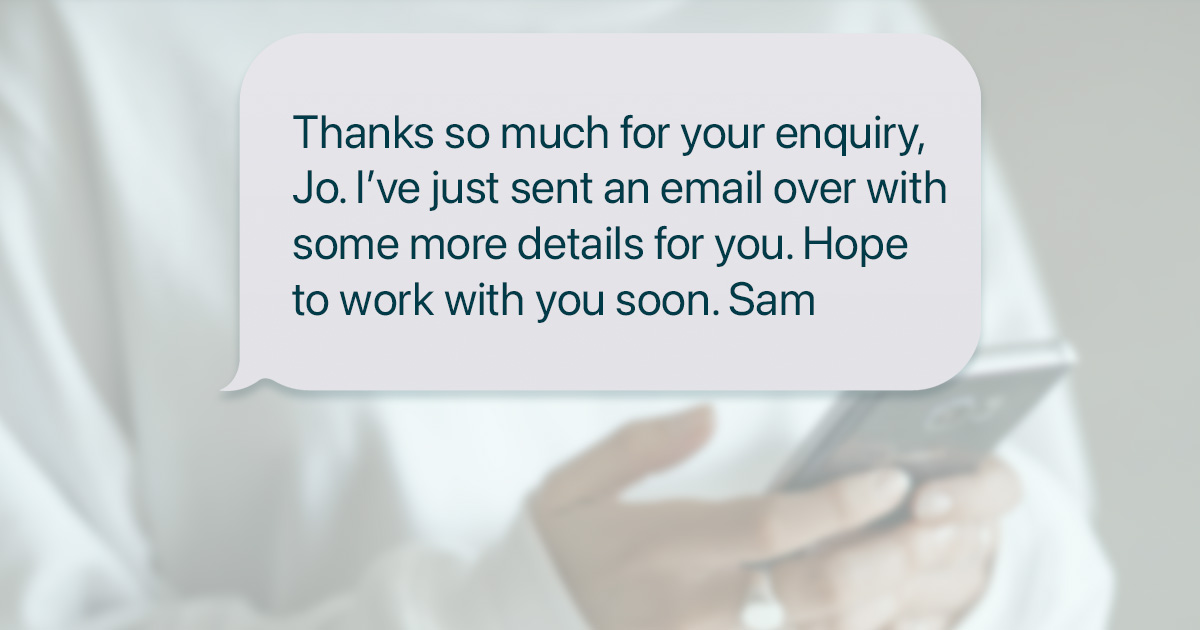
This works incredibly well because text messages tend to get seen much faster than emails.
It also acts as a safety net in case:
- The email lands in spam
- The client typed their email address incorrectly
- They simply miss the email in a busy inbox
That quick text message helps bridge the gap and encourages them to check their email immediately.
Step 4: A proposal is published automatically
At the same time as the text message, Light Blue can automatically publish and send a proposal.
For many photographers, this becomes the centrepiece of the entire booking process.
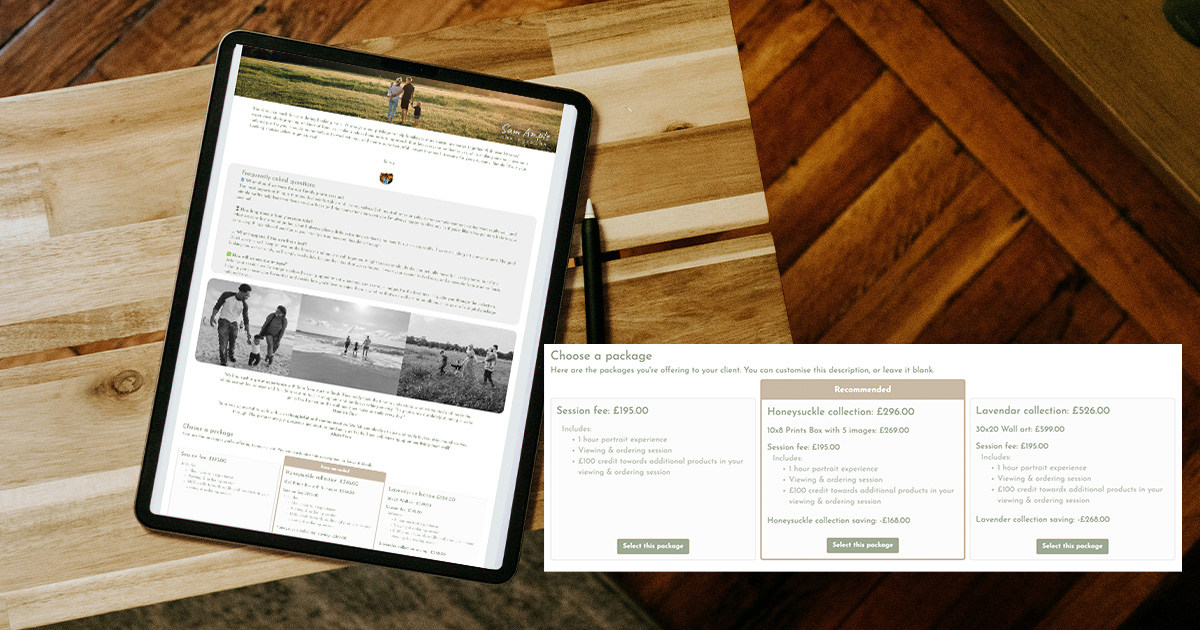
Using the proposals feature in Light Blue, you can create a polished client experience that showcases your services beautifully.
The proposal can include:
- Packages
- Optional add-ons
- Pricing
- FAQs
- Testimonials
- Social proof
- Information about your experience
And because proposals are interactive, clients can build the package that suits them best.
For some businesses, this completely replaces the traditional “email backwards and forwards for days” process.
Step 5: The client can book immediately
Once the client chooses a package, the proposal can guide them through the next steps automatically.
Depending on how you configure it, they can also:
- Choose a session date from your scheduling calendar
- Sign a contract
- Pay a booking fee
- Gather additional details
All in one smooth flow.
For motivated clients, this creates a frictionless booking experience.
And because the workflow is connected to the booking process, once the booking is completed, the remaining enquiry follow-ups stop automatically.
Step 6: Automatic reminder emails keep the lead warm
Of course, not everybody books immediately.
Some people need time to think things through, compare options, or discuss dates with family members.
This is where proposal reminder emails become incredibly valuable.
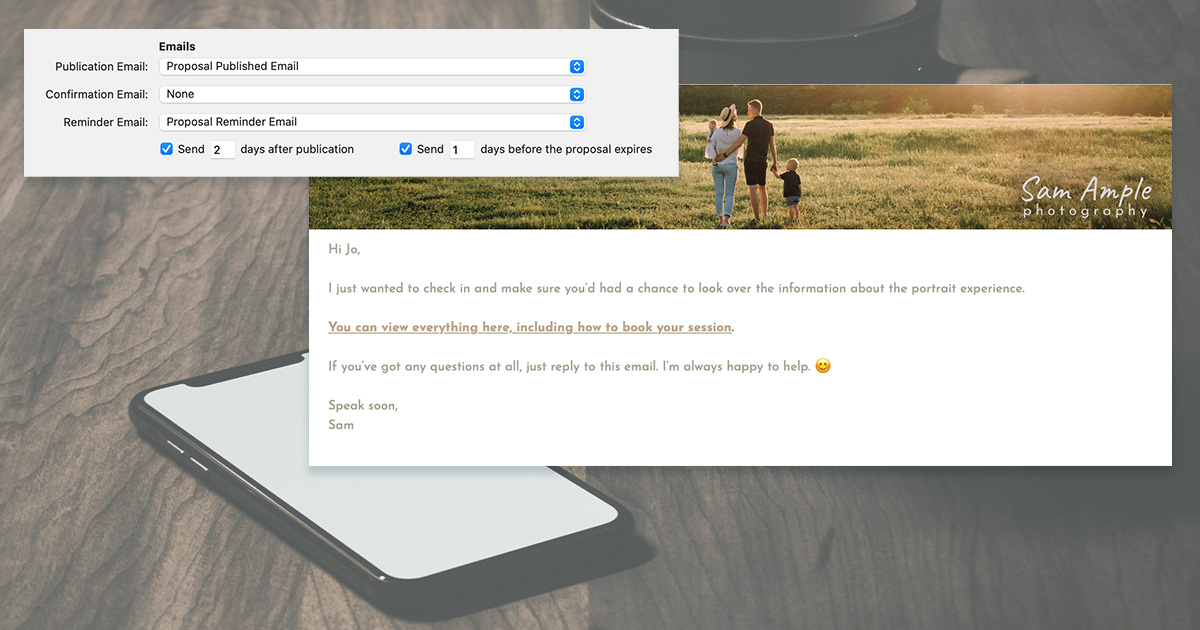
Because proposals can include expiry dates, Light Blue can automatically send reminder emails before the proposal expires.
For example:
- Day 0 → Initial enquiry response + proposal
- Day 2 → Friendly reminder email
- Day 9 → Another friendly reminder
These follow-ups keep you front-of-mind without requiring you to manually chase enquiries every day.
And importantly, these emails only continue if the client hasn’t already booked.
Step 7: A personal-feeling text follow-up happens later
If the proposal still hasn’t been completed after expiry, the workflow can trigger another text message automatically.
This message is usually much softer and more conversational.
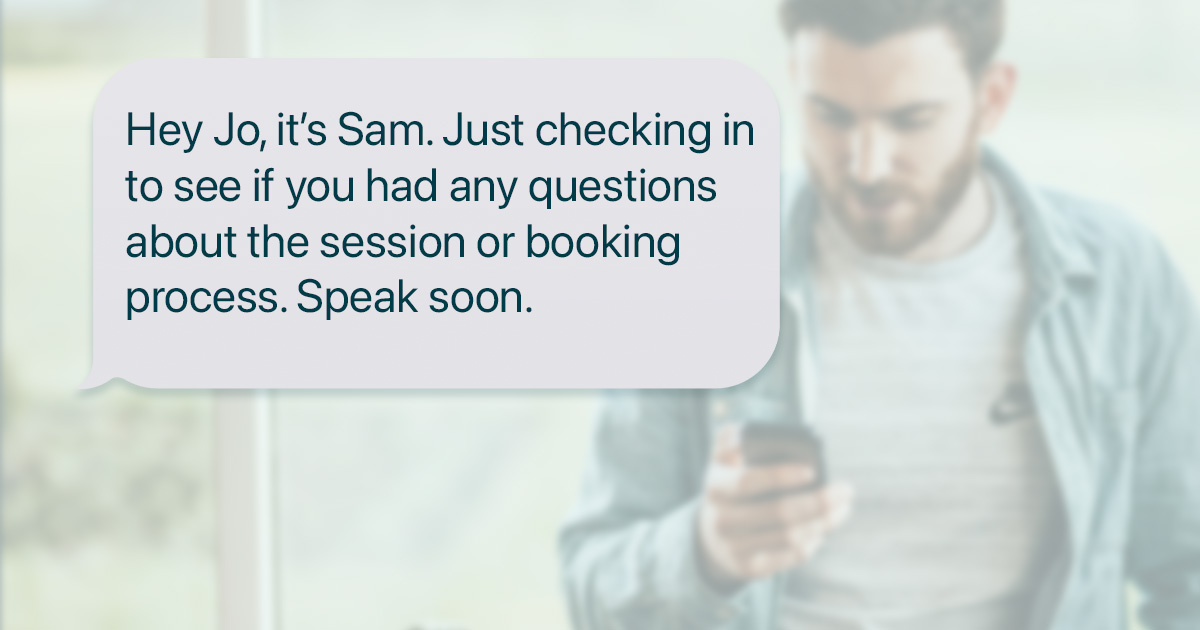
Something along the lines of:
“Just checking in to see if you had any questions about the session or booking process.”
This works well because it opens the door to conversation rather than simply pushing for a sale.
Often, leads at this stage aren’t saying “no”, they just have unanswered questions.
Step 8: Offer a consultation call for hesitant leads
Another great addition some customers have implemented is a later-stage follow-up email that includes a scheduling link for a consultation call.
If somebody hasn’t booked after several touchpoints, they may simply need reassurance or clarification.
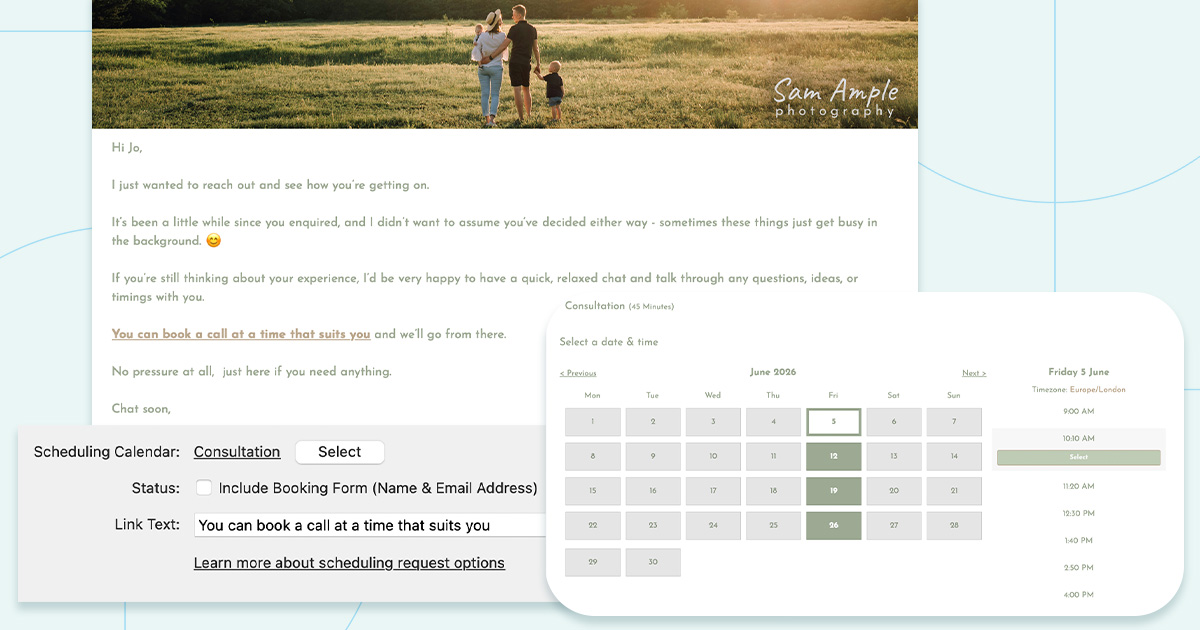
The email can invite them to:
- Ask questions
- Discuss options
- Talk through concerns
- Schedule a quick call
This creates a very natural next step for warmer leads who aren’t quite ready to commit yet.
Step 9: Use custom Home Screens to track every enquiry
One of the most useful parts of this entire setup is the custom Home Screen view.
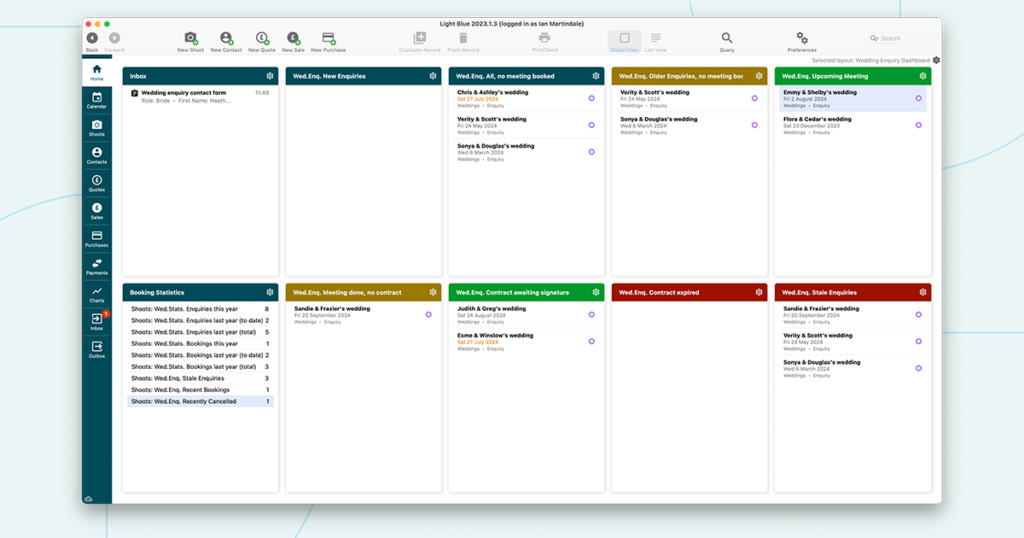
Instead of seeing one huge list of enquiries, photographers can create different sections that show where every lead is up to.
For example:
- New enquiries from the last few days
- Active proposals awaiting response
- Recently expired proposals
- Older stale enquiries
- Leads needing manual follow-up
It’s a bit like moving sticky notes across a wall as enquiries progress through your pipeline.
This gives you a much clearer overview of:
- Which leads are active
- Which enquiries need attention
- Which leads are likely stale
- Where your bottlenecks are
And because the workflows are handling so much of the communication automatically, your Home Screen becomes more about monitoring and decision-making rather than manually managing every single interaction.
Why this setup works so well
The real strength of this process is that it combines automation with personal communication.
You’re:
- Responding instantly
- Following up consistently
- Making booking easier
- Staying visible to leads over time
- Reducing admin workload
- Creating a better client experience
And importantly, it still feels personal to the client.
The businesses Sarah and Ian helped set this up for were completely different types of photography businesses, but the overall concept worked beautifully for both.
Whether you photograph weddings, portraits, pets, newborns, commercial work, or events, the same principles apply:
- Quick responses convert more enquiries
- Consistent follow-up improves booking rates
- Simpler booking experiences reduce drop-off
- Visibility over your leads improves decision-making
And with the right workflow in Light Blue, much of that can happen automatically in the background.
Related
- How Corporate Photographers Can Win More Annual Repeat Work with One Simple Workflow
- 7 tips for more successful in-person sales (IPS) sessions
- Mileage Allowance Rates Have Increased: How to Update Your Settings in Light Blue
- How to Manage Photography Client Expectations
- How To Attract Your Ideal Photography Clients
- Book more clients by phoning your leads - tips for making successful calls
- Using Sales Data to Drive Smart Upselling
- How to deal with difficult clients
- The Ultimate Guide to Selling Wedding Albums: Insights from Folio Albums and How Light Blue CRM Can Boost Your Sales
- How to Find a Consistent Photography Client Base